
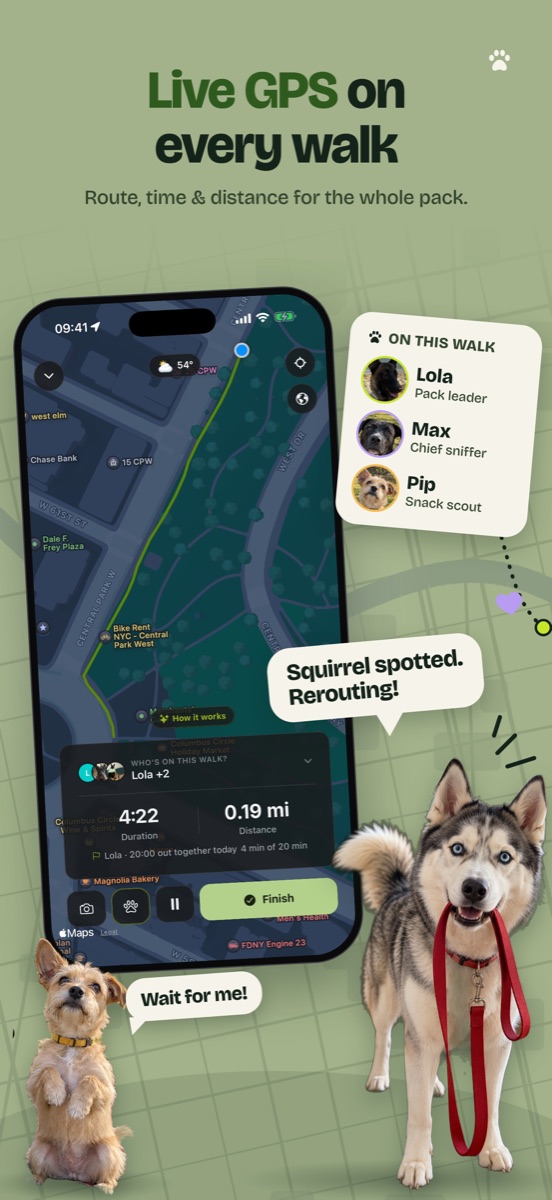
In short. TrackMyPaw is a dog walking app for iPhone with a GPS dog walk tracker built in. It tracks your dog’s walks with the phone’s own GPS and saves a map of the route, the distance and the time. You only need your phone, with no GPS collar or tag for the dog. You can track several dogs in one walk, plan a dog walk route before you go, add photos and moments along the way, and every walk lands in each dog’s walk log.
It’s as good for the owner who just wants to know their dog got enough today as it is for people who do canicross, dog trekking, hiking or mantrailing with their dog, and for walkers recording walks for their clients.
How to track a dog walk with your iPhone
- Tap the paw button and choose Record with GPS.
- Pick who’s coming. One dog or all of them.
- Walk. Lock the phone and put it away. The route draws itself.
- Tap Finish when you’re home. Add a title or a photo, and save.
First time out, the app asks for your location. If your iPhone then offers “Change to Always Allow”, say yes, and leave Precise Location on. That keeps the route drawing while the phone is locked in your pocket.
How people track their dog’s walks
The quick walk before work
Ten past seven and Lola is already at the door. Tap the paw, choose Record with GPS, phone in your pocket. Twenty minutes later you tap Finish and the loop is on a map: 0.9 miles, 21 minutes, saved to her journal.
Two dogs who don’t always go together
Morning: tick Max and Pip, record once, and both get the 1.2 miles. Evening: only Max wants out, so only Max gets that walk. Each dog’s page shows what that dog really walked.
The slow, sniffy walk
Forty minutes, two streets. Standing at a lamppost doesn’t add distance, and a puppy’s five minutes to the corner still counts. Stopping for a coffee? Tap Pause and the clock waits.
Planning the walk from the sofa
Tap the map where you want to pass, or draw the way. The app joins it along real paths and shows how long it is. On the walk it sits on the map as a guide. Follow it or don’t. The walk saved is the one you took.
Remembering what each place is like
Tap the paw mid-walk to pin a moment to the spot: water, zoomies, met a dog, saw a cat, recall win, or one of your own. After a few walks you know which corner has the cat and which field is good for off-leash.
A long weekend walk somewhere new
Take up to five photos on the way. At home, switch the map to satellite and see the whole day. No phone signal out there? The route still records, and you can save the walk later.
Canicross, trekking and long trails
It isn’t only for walks. Start a recording before a canicross run, a day of dog trekking or a mantrailing session, and you get the same map, distance and time. It all counts towards your dog’s week.
Walking a client’s dog
Add the dog you look after next to your own and record the walk as usual. When you’re back, send the owner the picture card: where you went, how far and how long.
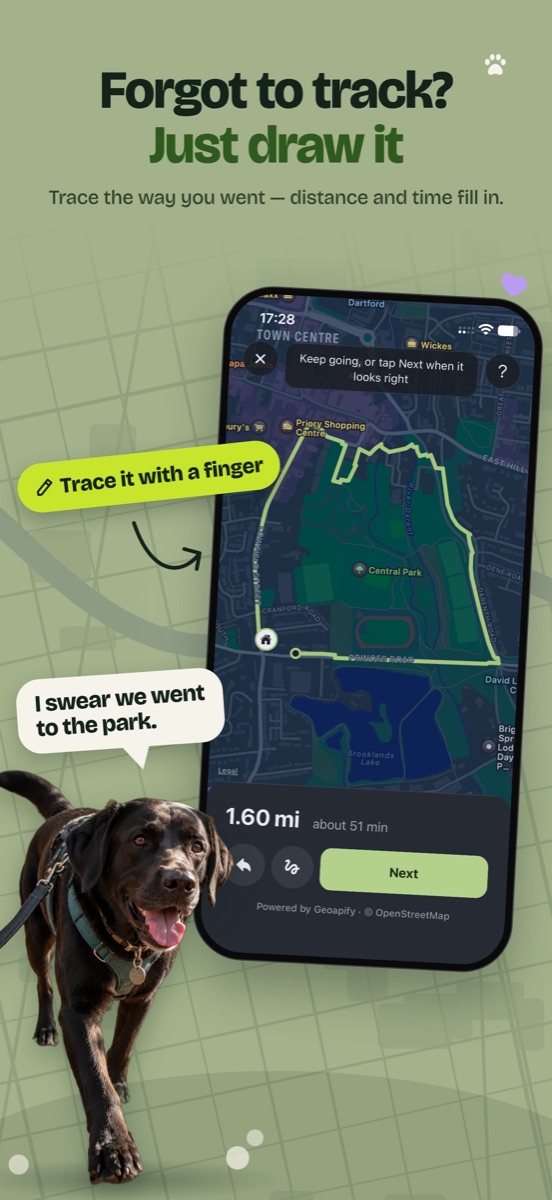
Home, and you never pressed start
Everyone does this. Choose Add manually and trace the way with your finger. Roughly is fine. The app works out the distance and time, and you can change both.
The app closed halfway round
Swiped it away by accident, or the phone restarted in your pocket. What you’d recorded is kept on the phone. Open the app and the walk is waiting: carry on, or save what you have.
Did Lola walk enough today?
Every walk adds to the day and the week. Set a daily goal and the app tells you when a walk has met it. And when the vet asks how much she walks, the vet report already has the answer.
Showing someone the walk
Turn any walk into a picture card with the route, the distance and your dog on it. Or share it with friends you’ve invited in the app, with the route or without.
GPS dog walk tracking at a glance
- What it recordsA map of the route, distance, duration, start time, and which dogs came
- Walk logEvery walk is kept in each dog’s journal, with weekly totals
- Good forEveryday walks, canicross, dog trekking, hiking, tracking and mantrailing, and dog walkers recording clients’ walks
- What you needAn iPhone with iOS 16.4 or later. No collar, tag or extra gadget
- Dogs per walkAs many as you’re walking. Each dog gets the walk in their own totals
- Screen lockedKeeps recording with location set to Always
- On the wayUp to 5 photos, and moments like water break, good sniff or zoomies pinned to the map
- Plan aheadPlan a dog walk route on the map before you go, then follow it or use it as a guide
- Forgot to start?Draw the walk on the map afterwards
Your location is recorded only while a walk is running. Routes stay private unless you choose to share a walk, and they are never sold. The privacy policy has the details.
Dog walk tracker questions
Do I need a GPS collar to track my dog’s walks?
No. TrackMyPaw uses the GPS in your iPhone. On a walk your dog is at the other end of the lead, so where your phone goes, your dog went too. There’s nothing to buy and nothing to charge on the collar.
Does it keep tracking when my iPhone is locked?
Yes. With location set to Always, the whole route is recorded while the phone is locked in your pocket. With While Using the App, a walk you’ve started keeps recording too, though iOS can pause it now and then. The walk screen tells you if that happens and gives you a button to change the setting.
How accurate is the distance?
Out in the open, an iPhone’s GPS is usually right to within about 5 metres, which is plenty to draw your route along the right paths. TrackMyPaw ignores readings that are too vague or that jump impossibly far, so standing at a crossing doesn’t add distance. Brisk walks are the most accurate. Very slow, sniffy walks can read slightly long, and city centres and thick woods are the hardest places for any phone.
Can I track two or more dogs on one walk?
Yes. Pick everyone who’s coming under “Who’s on this walk?” before you start. It’s one recording, and the walk is added to each dog’s own journal and totals.
What if I forget to start the tracker?
Add the walk afterwards. Choose “Add manually”, draw the way you went on the map, and the app fills in the distance and time. You can change both, and set when the walk started.
More of what TrackMyPaw does
GPS walk tracking is one part of the app. See the full list on what TrackMyPaw does, compare it with others in the best dog walking apps for iPhone, or read how far you should walk your dog to know what to aim for.